

Knowledge Base / Frequently Asked Questions / Room Alert Monitors (PRO, MAX, and Legacy)
Your Room Alert Monitor comes equipped with built-in alerting features, allowing it to operate as a completely stand-alone device. However, integrating your monitor with your account at RoomAlert.com or with locally installed Room Alert Manager software expands the device’s capabilities with a variety of advanced features.
Review the sections below to determine which monitoring options are compatible with your devices.
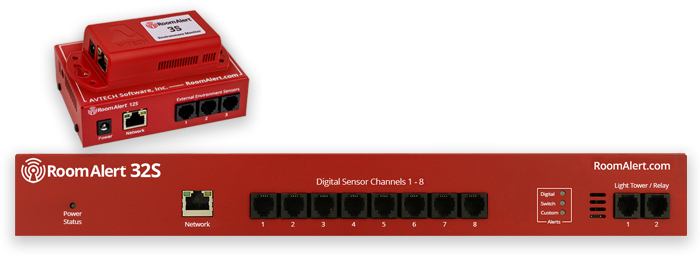
Room Alert PRO models can be monitored in the following ways:
 Cloud Monitoring
 Local Monitoring
Advanced users may also retrieve live monitoring data using JSON. For more information, please see: Where To Find Room Alert Monitor JSON Data.
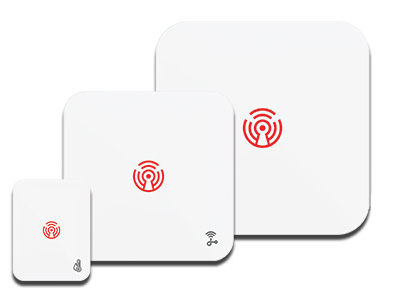
Room Alert MAX models can be monitored in the following ways:
Cloud MonitoringLocal MonitoringAdvanced users may also retrieve live monitoring data using JSON. For more information, please see: Where To Find Room Alert Monitor JSON Data.


We'd love to talk with you about your monitoring needs. Contact one of our Product Specialists for a free consultation.





You may find Windows Command Prompt at the following path:
To run Windows Command Prompt as an administrator:

If you are using this client, you should configure the general SNMPv3 Credentials, but leave the Read / Write SNMPv3 Credentials section blank.

| Current S models | Current E models |
|---|---|
| Room Alert 32S | Room Alert 32E |
| Room Alert 12S | Room Alert 12E |
| Room Alert 3S | Room Alert 4E |
| Room Alert 3E | |
| S models | E & W models |
|---|---|
| Room Alert 32S | Room Alert 32E |
| Room Alert 12S | Room Alert 12E |
| Room Alert 3S | Room Alert 4E |
| Room Alert 3E | |
| Room Alert 3W |
| Model |
|---|
| Room Alert MAX |
| Room Alert 32S |
| Room Alert 12S |
| Room Alert 3S |
| Room Alert 32E/W |
| Room Alert 12E |
| Room Alert 4E |
| Room Alert 3E |
| Room Alert 3 Wi-Fi |


