

Knowledge Base / Frequently Asked Questions / Room Alert Monitors (PRO, MAX, and Legacy)
For a more secure local web interface, you can enable your Room Alert MAX, 32S 12S or 3S to use HTTPS. By default, your Room Alert Monitor’s local web interface is secured by an SSL certificate issued to *.roomalertmonitor.com, but you may upload your own custom certificate if desired.
If you attempt to access your HTTPS-enabled device directly at its IP address, the device may experience performance issues. This FAQ explains best practices for accessing the web interface, whether you’re using the device’s default certificate or a custom certificate.
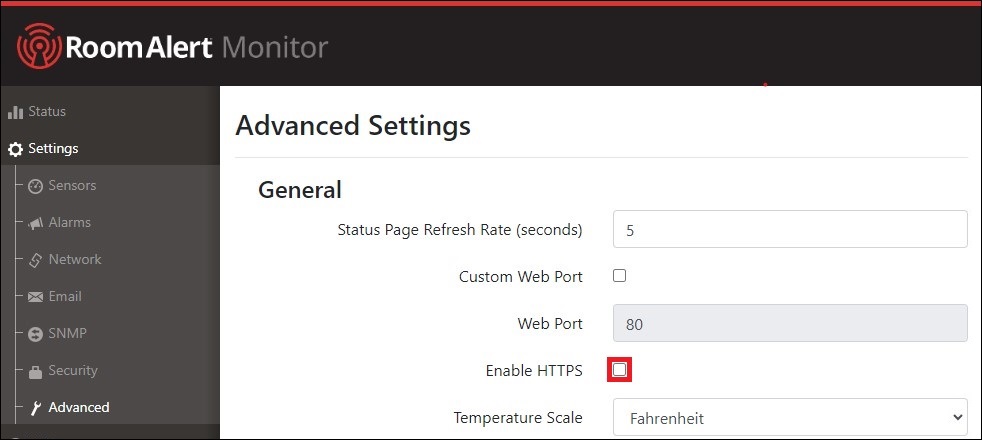
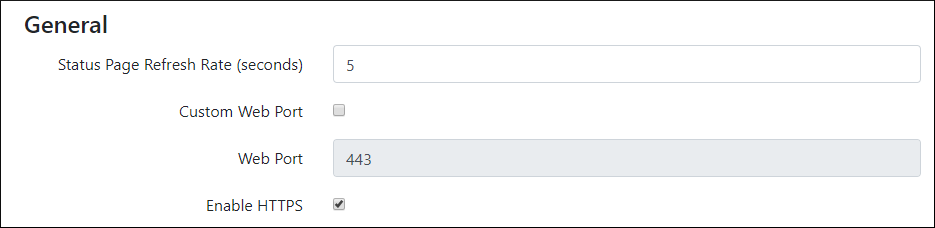
Based on the default certificate for your Room Alert, your web browser expects to see “.roomalertmonitor.com” within the web address.
For best performance within the device’s web interface, you should set up a hostname for your device that includes the “.roomalertmonitor.com” domain.
You can either setup a roomalertmonitor.com zone in your local DNS or add an entry to your local computer’s hosts file.
Because the instructions for editing your DNS differ according to the server being used, this FAQ does not walk you through that process.
These instructions apply to Windows 10 and Windows 8 systems. If you’re using a different Operating System, you can find the proper instructions by doing a Google search for “add entry to hosts file + <your operating system>”
192.168.2.123 ExampleRA32S.roomalertmonitor.com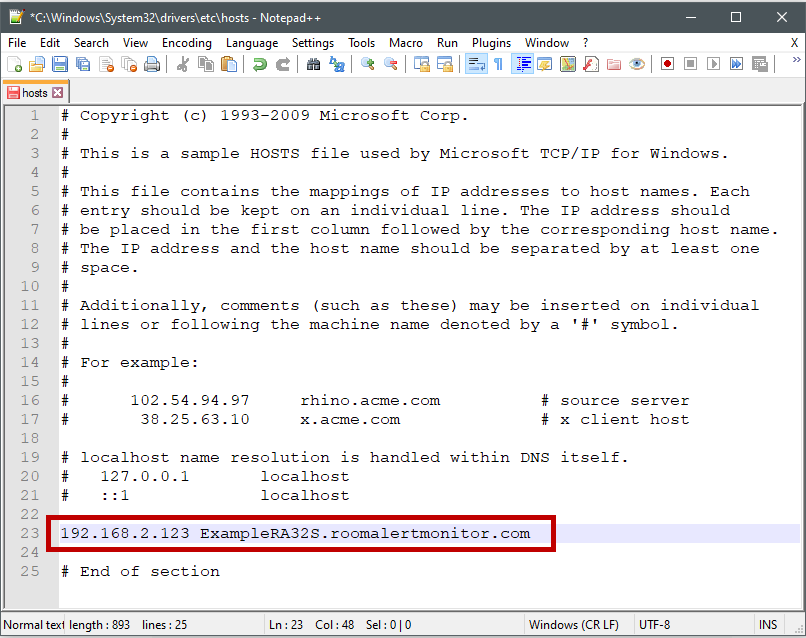

If your device gets a different IP address, you will need to edit the DNS or hosts file entry.
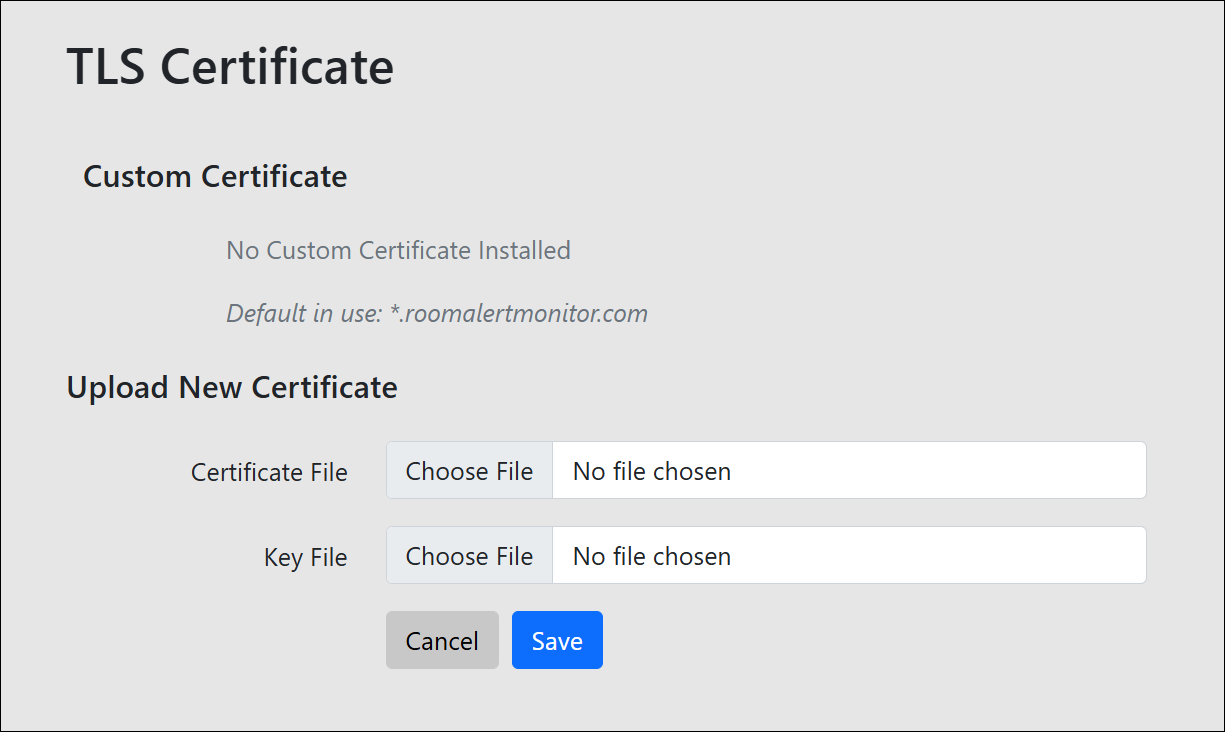
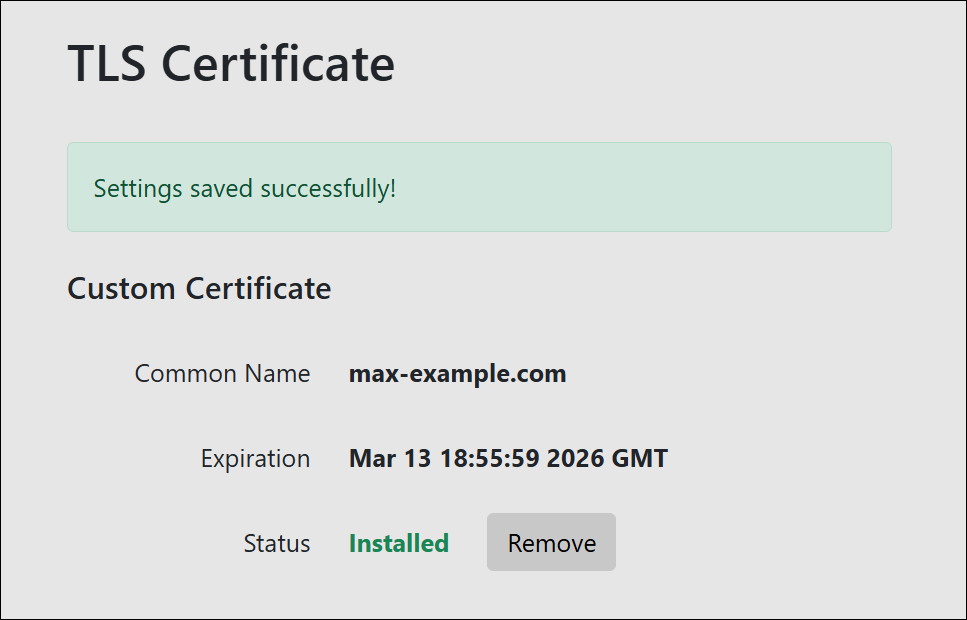
If you certificate becomes invalid (like if it expires) the device will revert to using its default certificate (.roomalertmonitor.com) again.


We'd love to talk with you about your monitoring needs. Contact one of our Product Specialists for a free consultation.





You may find Windows Command Prompt at the following path:
To run Windows Command Prompt as an administrator:

If you are using this client, you should configure the general SNMPv3 Credentials, but leave the Read / Write SNMPv3 Credentials section blank.

| Current S models | Current E models |
|---|---|
| Room Alert 32S | Room Alert 32E |
| Room Alert 12S | Room Alert 12E |
| Room Alert 3S | Room Alert 4E |
| Room Alert 3E | |
| S models | E & W models |
|---|---|
| Room Alert 32S | Room Alert 32E |
| Room Alert 12S | Room Alert 12E |
| Room Alert 3S | Room Alert 4E |
| Room Alert 3E | |
| Room Alert 3W |
| Model |
|---|
| Room Alert MAX |
| Room Alert 32S |
| Room Alert 12S |
| Room Alert 3S |
| Room Alert 32E/W |
| Room Alert 12E |
| Room Alert 4E |
| Room Alert 3E |
| Room Alert 3 Wi-Fi |


