Knowledge Base / News
Environmental monitoring technology changes. The need to protect critical environments does not.
That is becoming particularly relevant for organizations using Cisco Meraki MT sensors.
Cisco announced the end-of-sale and end-of-life timeline for its Meraki MT product line in May 2026. The final date to order affected hardware, accessories and licenses is November 10, 2026, while eligible hardware may continue receiving support under qualifying service contracts through November 30, 2031.
Importantly, Cisco also states that there is currently no replacement available for the Meraki MT product line.
For organizations relying on these sensors today, that does not mean an immediate change is required. It does make this a useful time to consider a bigger question:
What should the next phase of environmental monitoring look like?
Replacing one discontinued sensor with another may seem like the simplest path, but monitoring requirements rarely stay the same.
Facilities expand. Equipment moves. New locations become critical. Organizations discover new environmental risks that require greater visibility.
What began as temperature monitoring in a server room may eventually extend into network closets, warehouses, mechanical spaces, offices and other facilities.
Instead of simply recreating an existing deployment, organizations can use a product lifecycle transition to determine what they actually need going forward.
Before selecting a replacement platform, consider:
These questions shift the conversation from simply replacing hardware to building a monitoring strategy that can continue adapting.
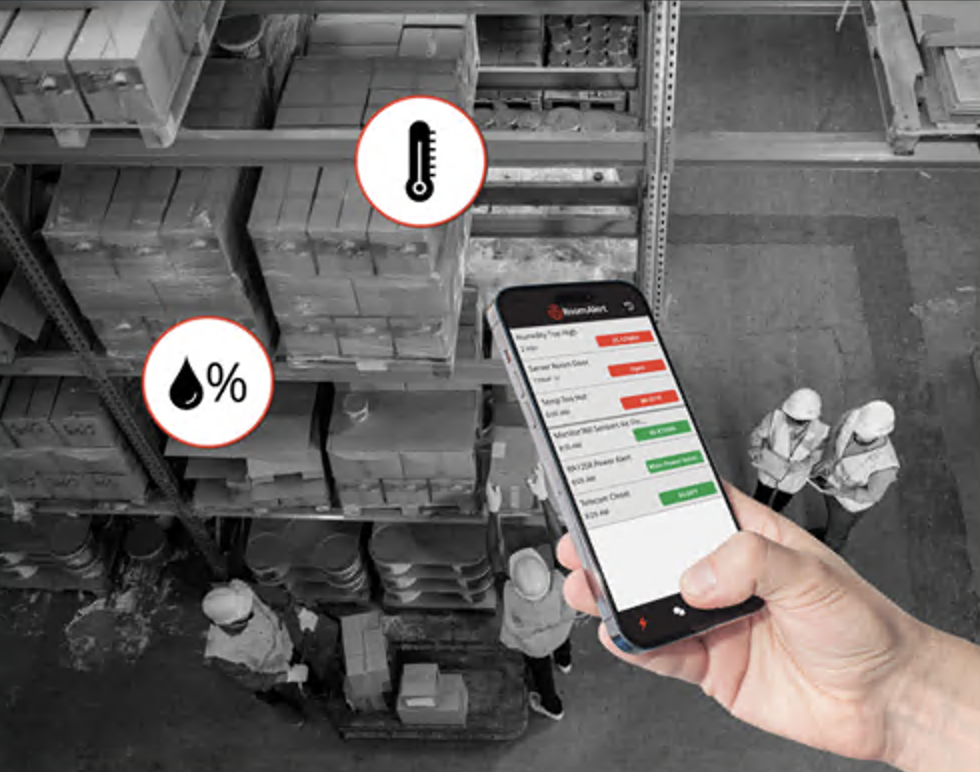
Different locations often call for different deployment methods. They do not necessarily require separate monitoring strategies.
That is where the broader Room Alert ecosystem becomes important.
Room Alert PRO provides proven wired environmental monitoring for server rooms, data centers, network closets and other critical infrastructure.
Room Alert MAX adds flexible wireless monitoring for facilities, warehouses, offices and other locations where running sensor cables may be difficult or impractical.
Room Alert Sensors provide visibility into the specific environmental conditions that matter, including temperature and humidity, water and flood conditions, power, airflow, particulate levels, room entry and more.
Room Alert Account brings those deployments together with centralized visibility, alerting and reporting.
PRO and MAX are not competing approaches. Organizations can use the deployment method that makes sense for each environment while maintaining visibility through a broader Room Alert ecosystem.
The affected Meraki MT product line covers a variety of environmental monitoring applications, including temperature and humidity, water leak detection, indoor air quality, door monitoring and power.
That makes a lifecycle transition a natural opportunity to inventory environmental risks rather than focus exclusively on individual device models.
For example:
The objective is not necessarily to find an exact sensor-for-sensor equivalent. It is to make sure the conditions that matter to the organization remain visible.
Organizations reviewing discontinued or unsupported environmental monitoring equipment do not have to wait until a final support deadline to begin planning.
Room Alert’s Competitor Environment Monitor Trade-In Program can help eligible organizations transition from competitor monitoring hardware while receiving a discount toward new Room Alert monitors.
Beginning that evaluation early provides time to document existing monitoring, identify gaps, determine where wired or wireless deployment makes the most sense and plan a transition without unnecessarily disrupting environmental visibility.
Monitoring products change. Your need to protect critical environments does not.
Since 1988, that reality has helped shape Room Alert: providing organizations with visibility into changing environmental conditions while continuing to expand the ways those environments can be monitored.
A product reaching end of life should not simply answer the question, “What device do we buy next?”
It should also prompt the question, “What monitoring platform gives us the flexibility to protect what comes next?”
Planning a Meraki MT or other environmental monitoring transition? Explore Room Alert or talk with a Product Specialist about your existing deployment and monitoring requirements.


We'd love to talk with you about your monitoring needs. Contact one of our Product Specialists for a free consultation.


You may find Windows Command Prompt at the following path:
To run Windows Command Prompt as an administrator:
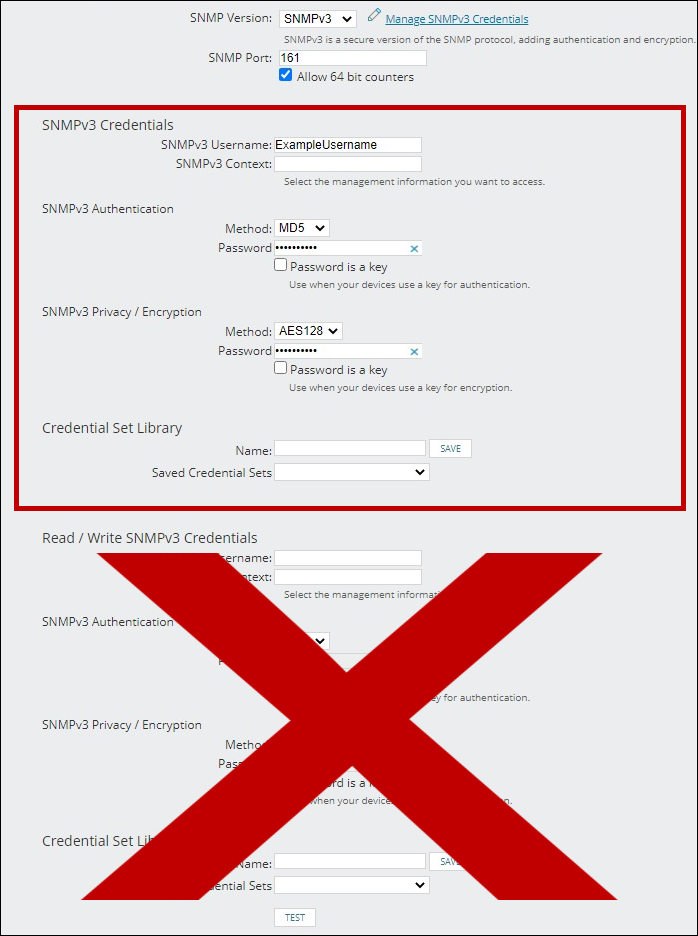
If you are using this client, you should configure the general SNMPv3 Credentials, but leave the Read / Write SNMPv3 Credentials section blank.

| Current S models | Current E models |
|---|---|
| Room Alert 32S | Room Alert 32E |
| Room Alert 12S | Room Alert 12E |
| Room Alert 3S | Room Alert 4E |
| Room Alert 3E | |
| S models | E & W models |
|---|---|
| Room Alert 32S | Room Alert 32E |
| Room Alert 12S | Room Alert 12E |
| Room Alert 3S | Room Alert 4E |
| Room Alert 3E | |
| Room Alert 3W |
| Model |
|---|
| Room Alert MAX |
| Room Alert 32S |
| Room Alert 12S |
| Room Alert 3S |
| Room Alert 32E/W |
| Room Alert 12E |
| Room Alert 4E |
| Room Alert 3E |
| Room Alert 3 Wi-Fi |